 AI art
Cybersecurity for Juniors · Book 3 · Chapter 3
Who Goes There, and What Are They Allowed to Do?
Part 1 · An alert nobody was watching for yet
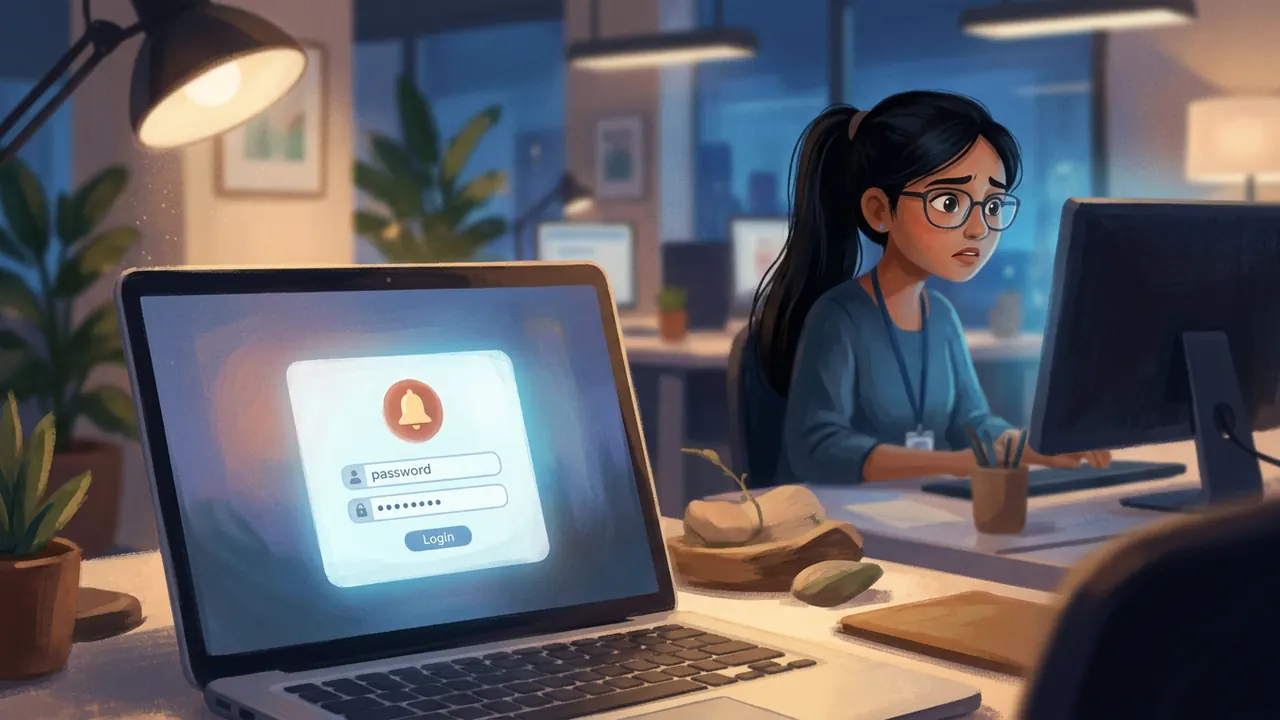
The alert came in at 11:40pm, which meant nobody saw it until morning: a successful login to a teaching-assistant account, from a city none of CyberAI Hub's actual teaching assistants lived anywhere near. The account itself was low-privilege, limited to grading quizzes for one course. Nobody had flagged it as urgent.
"Low privilege doesn't mean low interesting," Meher ma'am said, pulling the login history. "Let's find out how they got in before we decide how much it matters."
Part 2 · A password that had already leaked somewhere else
It took less than an hour to find the answer, and it was almost disappointingly simple: the teaching assistant had reused the exact same email and password combination on a different website, one that had suffered its own, unrelated data breach eight months earlier. An attacker running a credential stuffing attack, trying millions of leaked email-password pairs against popular login pages, had simply gotten lucky on CyberAI Hub's.
"No MFA on TA accounts yet," Mahika noted, checking the account settings. "And the password reset flow doesn't ask for anything besides the email address, no second check at all."
"Two separate gaps," said Meher ma'am. "A password that was never unique to begin with, and nothing behind it to catch a login that shouldn't have worked even with the right password."
Part 3 · What the attacker actually did with ten minutes
The attacker's session lasted under ten minutes before an automatic timeout ended it, long enough to browse the grading dashboard for one course, and nothing else. No grades were changed. No data was exported. It looked, on the surface, like almost nothing had happened.
"Almost nothing happened this time," Meher ma'am said. "Which tells us the lock on the door was flimsy, not that there was nothing worth stealing behind it. Fix the door anyway."
Part 4 · Shruti's code review, and a question she almost didn't ask
 AI art
Days later, fixing MFA for the TA accounts led Mahika into reviewing a different, unrelated pull request: Shruti's first solo feature, a "view my grading history" page for teaching assistants. The code worked. Mahika tried it in a test environment anyway, logged in as one TA account, and, almost as an afterthought, changed a number in the page's URL from her own TA ID to a different one.
The other TA's grading history loaded instantly. No error. No permission check. Nothing.
"Oh no," Shruti said, when Mahika showed her. "It checks that you're logged in. It just never checks that you're logged in as you, specifically, for this one record."
Part 5 · Logged in is not the same as allowed
"This is the exact distinction I keep coming back to," Mahika said, half to Shruti and half to herself. "Authentication answered 'is this really a TA logged in.' It did, technically, correctly, that part worked. Authorization has to separately answer 'is this TA allowed to see this specific record.' Nobody ever asked that second question on this page."
Shruti's fix, once she saw it, took under twenty minutes: before returning any TA's grading history, the server now checks that the requested TA ID matches the ID of whoever is actually logged in. Same login system. One new check.
"This is going to be the thing I check on literally everything from now on, isn't it," Shruti said, not quite a question.
"Welcome to security," said Mahika, who'd asked the exact same thing about Book 2's own group project repo, almost exactly a year earlier.
Moral of the story
Being logged in proves who you are. It never proves what you're allowed to touch. Check both, separately, every time.
A key that opens any door
is not the same as one that's yours.
Ask who you are, and then ask more:
ask what that key was ever for.
Field notes · the visual anchor
Shruti's one-line fix
The vulnerable version trusted whatever TA ID appeared in the URL. The fix checks it against who the server already knows is logged in, current_user, before returning anything. This exact pattern, trusting an ID from the request instead of checking it against the session, is sometimes called an IDOR, insecure direct object reference, and it's one of the most common bugs in the OWASP Top 10:2025's broken access control category, currently its top-ranked risk.
Field notes
Two ways to decide "allowed"
| Model | How it decides access |
|---|---|
| RBAC (role-based access control) | Access depends on a role: "teaching assistant," "admin," "student." Simple, but can't easily express "only your own record." |
| ABAC (attribute-based access control) | Access depends on attributes of the request: is the requested record's owner the same as the logged-in user? Finer-grained, which is exactly what Shruti's fix needed. |
| What CyberAI Hub actually needed here | RBAC alone (role = "TA") correctly let the user into the grading-history feature at all. ABAC-style ownership checking was still needed on top, to decide which specific record. |
Security tip
Two checklists, not one
Every login screen deserves its own checklist: unique passwords (ideally via a password manager), MFA wherever it's offered, and a password-reset flow that can't be triggered by email address alone. But every single data-returning endpoint deserves a second, completely separate checklist: does this check not just that someone is logged in, but that this specific logged-in person is allowed to see this specific thing? Skipping the second checklist is how a correctly-built login system still ships a broken access control bug.
Did you know?
Fun facts
Myth or fact?
"If a page requires login, it's automatically secure."
MythShruti's grading-history page required login. It was still vulnerable, because requiring login only answers "who are you," never "what are you allowed to see." Every page that returns someone else's data needs its own explicit ownership check, login alone never covers it.
Try this · workshop exercise
Find the missing question
You need: a notebook or shared doc, and a teammate or study partner.
- List three apps or websites where you can view "your" data after logging in, an order history, a grade report, a chat history.
- For each one, ask: if I changed an ID number in the URL or request, would the app check whether that record is actually mine?
- Do not actually try this on a real app you don't own or have permission to test, this is a thought exercise, not a live test; actually probing someone else's production system without permission is unauthorised access, not research.
- Discuss: which of the three feels most likely to have this gap, and why?
Careers corner
Identity and Access Management (IAM) specialist
A role focused specifically on who gets access to what, across an entire company: designing roles, approving access requests, running the periodic reviews that catch access nobody remembers granting. Authentication and authorization, the two halves of this chapter, are this specialist's entire world.
Useful to learn: RBAC and ABAC models, OAuth and SSO concepts, and the unglamorous but critical discipline of regularly asking "does this person still need this access."
Quiz time
How well did you learn?
Think and discuss
No wrong answers here
- The TA's leaked password came from a completely different, unrelated website. Why does that make password reuse everyone's problem, not just a risk for weak passwords?
- Mahika found Shruti's bug almost by accident, by changing one number out of curiosity. What does that suggest about how often this kind of bug might exist undetected elsewhere?
- Why might "the attacker only looked around for ten minutes and changed nothing" be the wrong thing to feel reassured by?
- Shruti said, "this is going to be the thing I check on literally everything now." Is that a healthy level of caution, or too much? Where's the line?
Be curious
Ask a mentor or hiring manager
Word bank
New words from this chapter
Coming up in Chapter 4
A leaked third-party API key nearly exposes student payment data. Cleaning it up, the team discovers the "removed" secret never actually left, it's still sitting in git history, waiting for anyone who knows where to look.
For teachers and parents: this chapter fits two sessions, one per act. Session 1 (Authentication): Parts 1–3, discuss password reuse and MFA. Session 2 (Authorization): Parts 4–5, the diff and RBAC/ABAC table, the activity, and the quiz. The key idea threading both acts: authentication answers "who are you," authorization answers "what are you allowed to do," and a system can get the first right while completely missing the second. All chapter illustrations are AI-generated scene art (pending for this draft); the diff and comparison table are built by hand.